
C# Control Flow
Conditionals
if / else
The if statement runs a block only when a condition is true; the optional else runs when it is false. Start with a simple pass/fail check.
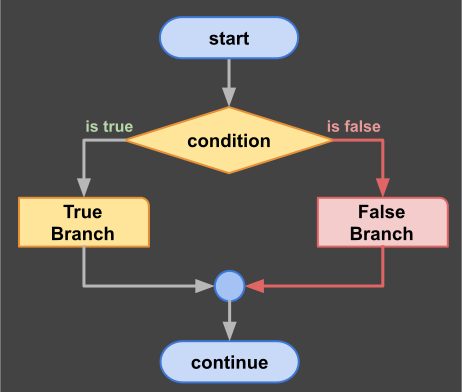
if / else decision
int score = 75;
if (score >= 60)
{
    Console.WriteLine("Pass");
}
else
{
    Console.WriteLine("Fail");
}
switch
A switch dispatches on a value. It is cleaner than a long chain of if/else when you compare one value against many cases; each case needs a jump statement such as break.
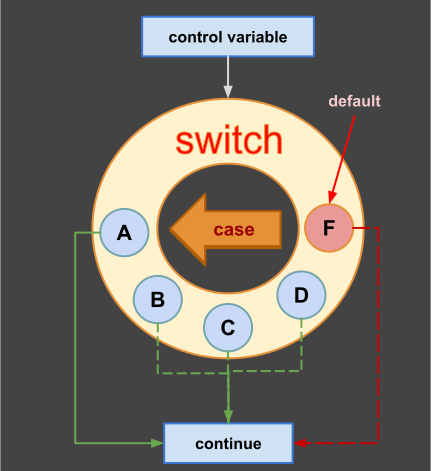
switch dispatch
string grade = "B";
switch (grade)
{
    case "A": Console.WriteLine("Excellent"); break;
    case "B": Console.WriteLine("Good");      break;
    default:  Console.WriteLine("Keep going"); break;
}
Loops
for
Runs while a condition holds; classic for counting with an index.
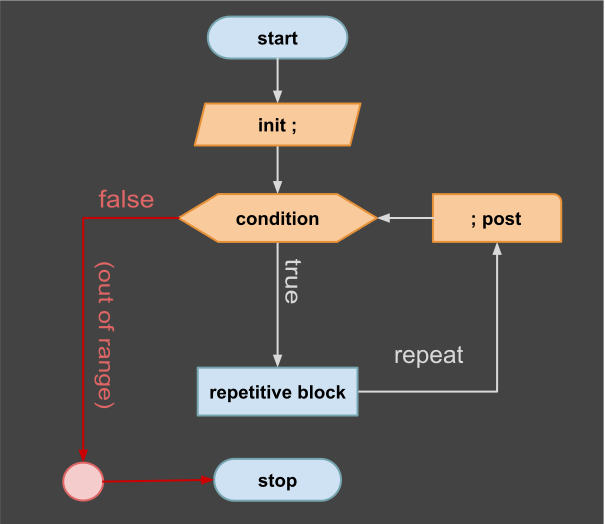
for iteration
for (int i = 0; i < 5; i++)
{
    Console.WriteLine(i);
}
foreach
Iterates over any enumerable collection without an index.
string[] names = { "Ada", "Linus", "Grace" };
foreach (string name in names)
{
    Console.WriteLine(name);
}
while
while checks the condition before each iteration, so the body can execute zero times if the condition is already false.
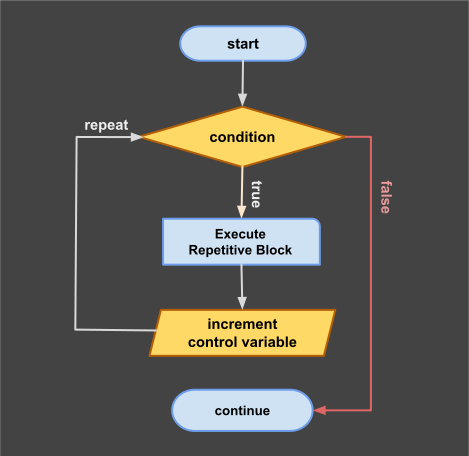
while loop
int i = 0;
while (i < 3)
{
    Console.WriteLine(i);
    i++;
}
do / while
Runs the body at least once before checking the condition.
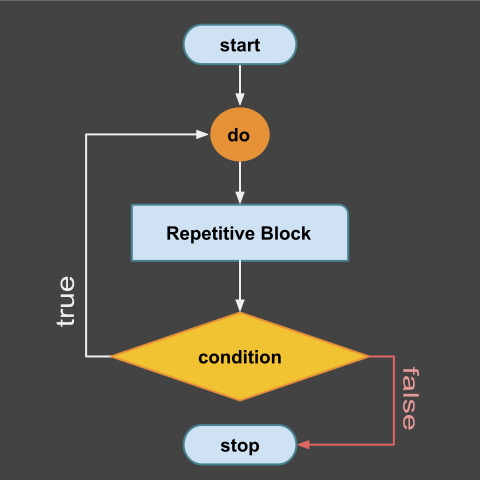
do-while loop
int j = 0;
do
{
    Console.WriteLine(j);
    j++;
} while (j < 3);
Jump Statements
break
break exits the innermost loop or switch immediately.
continue
continue skips the rest of the current iteration and moves to the next one.
Use both jump statements to steer a loop precisely: continue skips one iteration, break exits the loop entirely.
for (int i = 0; i < 10; i++)
{
    if (i == 2) continue; // skip value 2, keep looping
    if (i == 5) break;    // stop the loop at 5
    Console.WriteLine(i); // prints: 0 1 3 4
}
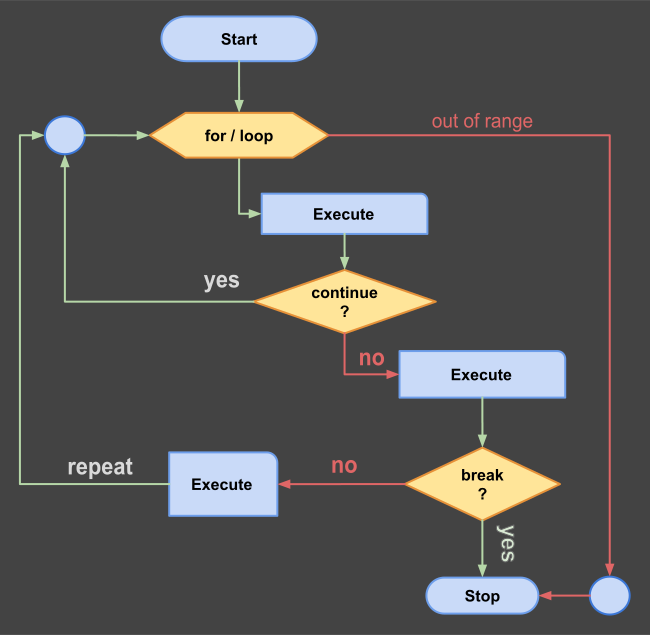
loop control with continue & break
return
return exits a method and optionally provides a result value.
static int Max(int a, int b)
{
    return a > b ? a : b;
}
Pattern Matching
is Pattern
is tests a type and binds a typed variable in one step.
object value = 42;
if (value is int number)
{
    Console.WriteLine(number + 1); // 43
}
Switch Pattern
Switch expressions match shapes and values concisely.
static string Describe(object value) => value switch
{
    int i when i > 0 => "positive",
    int             => "non-positive",
    string s        => $"string: {s}",
    _               => "unknown"
};