
GPU Extension
What is GPU ?
Graphic Processor Unit = GPU. This is an acceleration card for gaming PCs. But you can also do cool applications for GPU using special libraries. This enable DML (Deep Machine Learning) algorithms to run especially for Nvidia GPUs. AMD and Nvidia this time are competing against each other in this market. Intel does not make video cards for HPC.
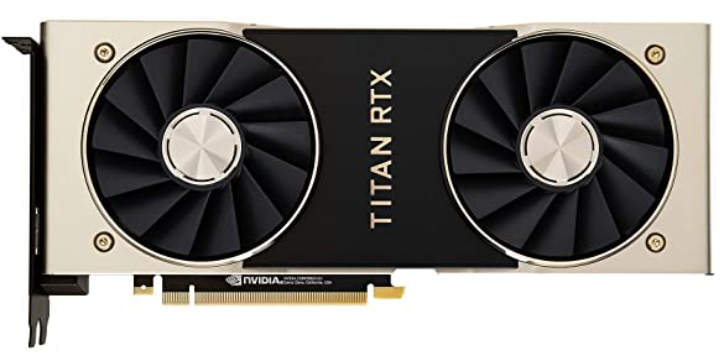
Titan RDX - GPU Video Card
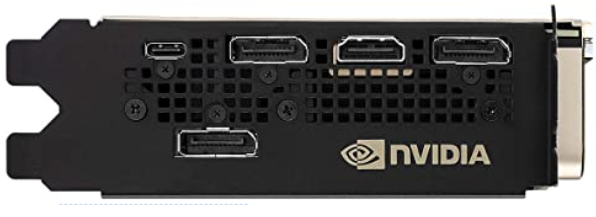
Titan RDX - Display Ports
A graphic GPU extension card is a separate circuit board that can be installed in a computer to provide additional graphics processing power. Extension cards are typically used in computers that do not have a powerful enough integrated GPU or in computers that need to be upgraded to support more demanding graphics applications.
Extension cards can offer a significant performance boost over integrated GPUs. They can also provide additional features, such as support for multiple monitors or higher resolutions.
GPU selection
When choosing a graphic GPU extension card, it is important to make sure that it is compatible with your computer's motherboard and power supply. You should also consider the type of graphics applications that you will be using. If you plan on doing gaming or video editing, you will need a more powerful card.
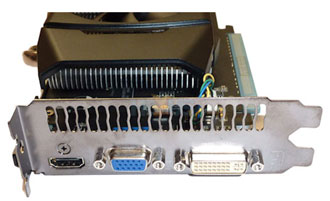
Old: VGA, DVI, HDMI ports.
Selection Criterias
Here are some of the factors to consider when choosing a graphic GPU extension card:
- The type of graphics processor (GPU). There are two main types of GPUs: integrated and discrete. Integrated GPUs are built into the motherboard, while discrete GPUs are separate circuit boards that can be installed in the computer. Discrete GPUs offer more performance than integrated GPUs, but they are also more expensive.
- The amount of video memory (VRAM). VRAM is used to store the images that are being rendered by the GPU. More VRAM allows the GPU to render more complex images and at higher resolutions.
- The number of ports. Extension cards typically have one or more ports for connecting monitors. Make sure that the card has the ports that you need. There are mining GPU cards that have no ports but better cooling.
- The power requirements. Extension cards can require a lot of power. Make sure that your power supply can handle the additional power requirements of the card.
- Rezolution and number of monitors. You can have 2 ports on a single video card but you can have 4 ports. Some video cards do not have suport for ultra whide monitors.

Multiple monitors for one computer.
Multiple GPUs
Multiple GPUs, also known as multi-GPU or GPU arrays, can be used in modern computers to improve performance in a variety of tasks. Here are some of the use-cases for multiple GPUs:
- Gaming: Multiple GPUs can be used to improve the frame rate in games, especially those that are demanding on the graphics hardware.
- Video editing: Multiple GPUs can be used to speed up the rendering of videos, especially those that are high-resolution or have complex effects.
- Crypto mining: There was no long time ago a hipe about ETH mining. Millions of GPU cards have been used for years to mine crypto. Now some of these rigs are used for AI deep learning.
- Machine learning: Multiple GPUs can be used to train and deploy machine learning models, which can be used for a variety of tasks, such as image classification, natural language processing, and fraud detection.
- Scientific computing: Multiple GPUs can be used to run computationally intensive simulations and calculations, such as those used in climate modeling, fluid dynamics, and nuclear physics.
- Faster databases: It is possible to use a GPU rig to accelerate a database. You can have relational database running 1000 times faster than a CPU regular database.
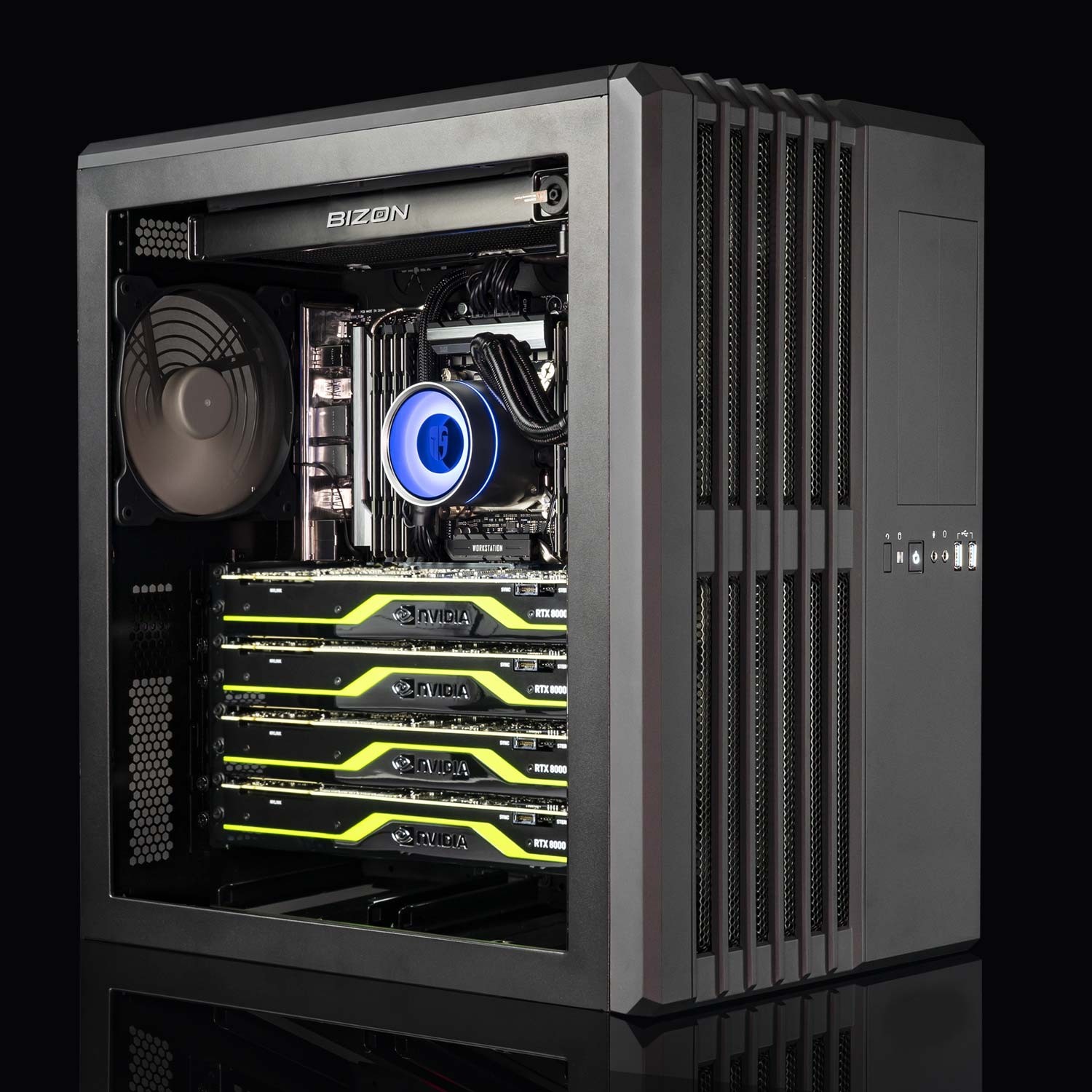
Computer with 4GPU on Motherboard
In order to use multiple GPUs, your computer's motherboard must support it. You will also need to install the appropriate drivers for your GPUs. Once you have installed the drivers, you can configure your computer to use multiple GPUs for the tasks that you want to improve performance.
Here are some of the factors to consider when using multiple GPUs:
- The type of GPUs: Not all GPUs are created equal. Some GPUs are better suited for certain tasks than others. For example, if you are using multiple GPUs for gaming, you will want to get GPUs that have a high clock speed and a lot of VRAM.
- The number of GPUs: The more GPUs you have, the more performance you will get. However, you will also need to make sure that your computer's power supply can handle the additional power requirements.
- The configuration of the GPUs: You can configure your GPUs in a variety of ways. For example, you can use them in a SLI or CrossFire configuration, or you can use them in a multi-node configuration. The configuration that you choose will depend on the tasks that you want to improve performance.
GPU Rigs
A GPU Rig is a computer system that is specifically designed to use multiple GPUs. These rigs are typically used for high-performance computing tasks, such as scientific computing, machine learning, and cryptocurrency mining.
There are a few different ways to configure a GPU Rig. One common configuration is to use two or more identical GPUs in a SLI or CrossFire configuration. SLI and Crossfire are technologies that allow multiple GPUs to work together to render graphics. This can provide a significant performance boost in games and other graphics-intensive applications.
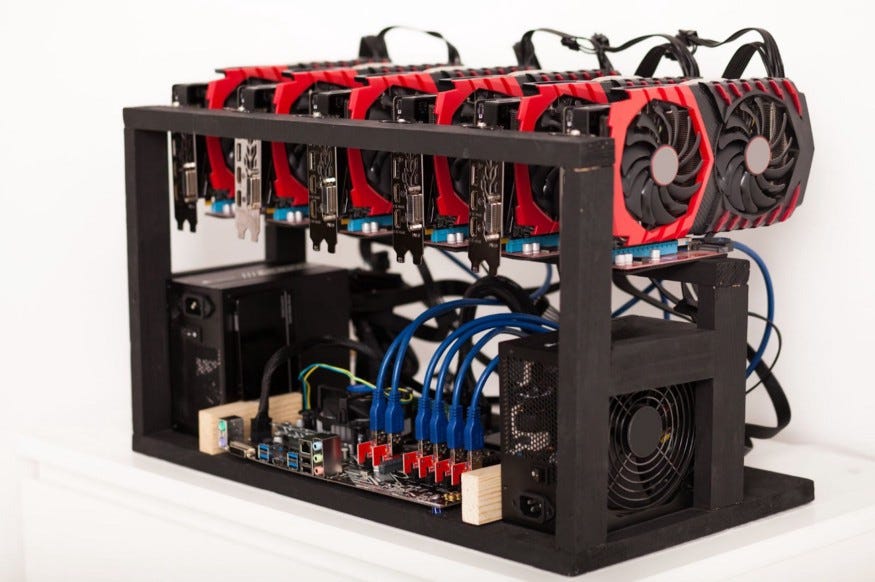
6GPU Mining Rig
Another way to configure a GPU Rig is to use a multi-node configuration. In a multi-node configuration, each GPU is connected to its own motherboard and CPU. This allows each GPU to work independently, which can be useful for certain tasks, such as machine learning.
There are a few issues to consider when using a GPU Rig. One issue is that it can be more expensive than a traditional computer system. Another issue is that it can require more power and cooling. Additionally, some games and applications may not support multiple GPUs.
However, there are also a number of advantages to using a GPU Rig. One advantage is that it can provide a significant performance boost in graphics-intensive applications. Another advantage is that it can be used for a variety of tasks, such as gaming, video editing, machine learning, and cryptocurrency mining.
The type of motherboard that you need for a GPU Rig will depend on the number of GPUs that you want to use. If you are only using two GPUs, you can use a standard motherboard. However, if you want to use more than two GPUs, you will need to use a motherboard that supports SLI or Crossfire.
When choosing a motherboard for a GPU Rigs, you should also consider the computer case. Modern GPUs take a lot of power and are heavy. Best position of GPU is vertical (parallel to each other). For open chose you need extension cards for each GPU. A closed case is better but it can support only 4GPUs.
- The number of PCIe slots: The motherboard must have enough PCIe slots to accommodate all of the GPUs that you want to use. Two GPUs is common, 4GPUs are more unusual these days.
- The power delivery: The motherboard must be able to provide enough power to all of the GPUs that you want to use.
- The cooling: The motherboard must have enough cooling to dissipate the heat generated by the GPUs. The distance between GPU cards is important factor.
- The filters: Open case GPU rigs are dust magnets. You should have a server room, that has dust filters and powerful cooling system or use computer case with filters.
Top AI cards
Modern RIGS that can process AI deep learning are insane expensive. If you multiply the price with 6 (average number of video cards in a rig) you can see the price is rising fast to unafordable levels. Adding to this the price of power, you can realize this is not a fesable solution for a home setup, but is usable only in a data center.
| Rank | Card | Price | VRAM | Tensor Cores | Compute Units |
|---|---|---|---|---|---|
| 1 | NVIDIA RTX 4090 | $1499 | 24GB | 16,384 | 126 |
| 2 | NVIDIA RTX 4080 | $1199 | 16GB | 12,288 | 102 |
| 3 | NVIDIA RTX 4070 | $599 | 12GB | 6144 | 60 |
| 4 | AMD Radeon RX 7900 XT | $999 | 16GB | 12,000 | 96 |
| 5 | AMD Radeon RX 7800 XT | $799 | 12GB | >8192 | 80 |
Large GPUs
Large GPUs are problematic. You need the consider these cards can take 4 slots. And of course they are very heavy. So a good idea is to have only two very powerful video cards in a horizontal computer case. Make sure the extension slots can support x16 EVGA standard and are far apart for this kind of setup.
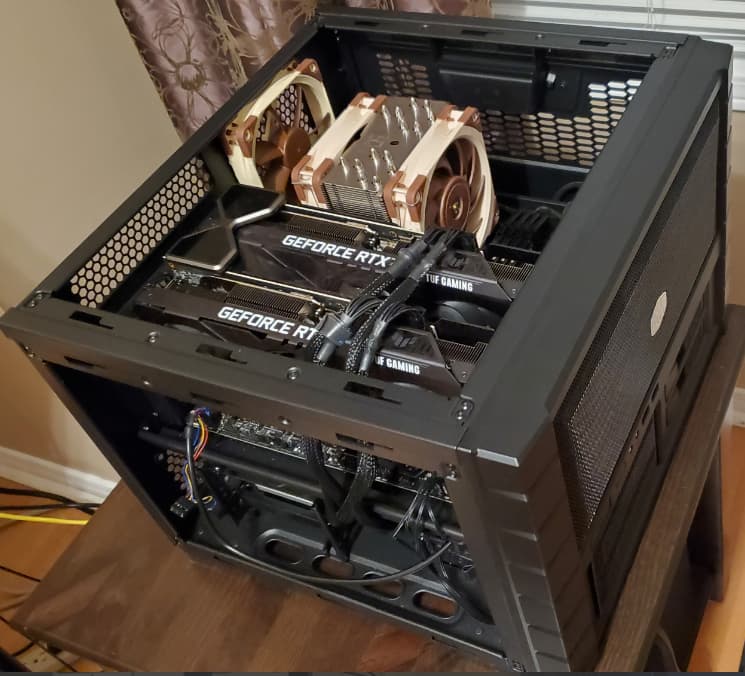
Gaming Rig 2xGPUs